/* global React, ReactDOM */
const { useState, useEffect, useRef } = React;

// Reveal-on-scroll hook: adds .is-visible to the ref'd element the first
// time it crosses 75% down the viewport, then unobserves. CSS handles
// the fade/transform; this just flips the class.
function useReveal() {
  const ref = useRef(null);
  useEffect(() => {
    const el = ref.current;
    if (!el) return;
    if (!("IntersectionObserver" in window)) { el.classList.add("is-visible"); return; }
    const obs = new IntersectionObserver(
      (entries) => entries.forEach((e) => {
        if (e.isIntersecting) { el.classList.add("is-visible"); obs.unobserve(el); }
      }),
      { rootMargin: "0px 0px -25% 0px", threshold: 0 }
    );
    obs.observe(el);
    return () => obs.disconnect();
  }, []);
  return ref;
}

const TWEAK_DEFAULTS = /*EDITMODE-BEGIN*/{
  "accent": "peach",
  "heroOverlay": 0.35,
  "showScriptLabels": true,
  "uppercaseTitles": true,
  "ctaCopy": "Get My Portfolio Page"
} /*EDITMODE-END*/;

const ACCENTS = {
  peach: { bg: "rgb(243,237,229)", soft: "rgb(249,247,243)", deep: "rgb(226,226,219)" },
  sage: { bg: "rgb(214,230,232)", soft: "rgb(240,246,246)", deep: "rgb(214,230,232)" },
  taupe: { bg: "rgb(226,226,219)", soft: "rgb(246,246,244)", deep: "rgb(226,226,219)" },
  bone: { bg: "rgb(242,242,238)", soft: "rgb(249,247,243)", deep: "rgb(229,229,229)" }
};

// ── Down-arrow that pairs with rotated script labels (lifted from .fig)
function DownArrow({ size = 10, color = "rgb(16,16,16)" }) {
  return (
    <svg width={size} height={size * 5} viewBox="0 0 6.387 49.053" fill={color} style={{ display: "block" }}>
      <path d="M 5.328 43.347 L 3.692 45.753 L 3.691 0 L 2.411 0 L 2.412 45.466 L 1.11 43.2 L 0 43.837 L 2.996 49.053 L 6.387 44.067 L 5.328 43.347 Z" fillRule="nonzero" />
    </svg>);

}

// ── Vertical rotated section label (Allura script + arrow)
function ScriptLabel({ text, dark = true, top = 80 }) {
  const color = dark ? "rgb(16,16,16)" : "rgb(255,255,255)";
  return (
    <div className="script-label" style={{ top }}>
      <span className="script-text" style={{ color }}>{text}</span>
      <DownArrow color={color} />
    </div>);

}

// ── Primary dark CTA button
function Button({ children, variant = "primary", href = "#contact", style }) {
  const onClick = (e) => {
    if (!href.startsWith("#")) return;
    e.preventDefault();
    const el = document.getElementById(href.slice(1));
    if (el) el.scrollIntoView({ behavior: "smooth", block: "start" });
  };
  return (
    <a
      href={href}
      onClick={onClick}
      className={`btn btn-${variant}`}
      style={style}>
      <span>{children}</span>
      <svg width="14" height="10" viewBox="0 0 14 10" fill="none" style={{ marginLeft: 12 }}>
        <path d="M1 5H13M13 5L9 1M13 5L9 9" stroke="currentColor" strokeWidth="1.4" strokeLinecap="square" />
      </svg>
    </a>);

}

// ── Top nav
function Nav({ ctaCopy }) {
  const [scrolled, setScrolled] = useState(false);
  const [menuOpen, setMenuOpen] = useState(false);
  useEffect(() => {
    const onScroll = () => setScrolled(window.scrollY > 80);
    window.addEventListener("scroll", onScroll, { passive: true });
    return () => window.removeEventListener("scroll", onScroll);
  }, []);

  // Body-scroll lock while the mobile menu is open
  useEffect(() => {
    document.body.style.overflow = menuOpen ? "hidden" : "";
    return () => { document.body.style.overflow = ""; };
  }, [menuOpen]);

  const scrollTo = (id) => (e) => {
    e.preventDefault();
    setMenuOpen(false);
    const el = document.getElementById(id);
    if (el) el.scrollIntoView({ behavior: "smooth", block: "start" });
  };

  return (
    <header className={`nav ${scrolled ? "is-scrolled" : ""} ${menuOpen ? "is-menu-open" : ""}`}>
      <div className="nav-inner">
        <a className="logo" href="#">
          <span className="logo-stack">
            <span className="logo-word"><span className="lw-luxury">Luxury</span><em>Portfolio</em><span className="lw-tld">.io</span></span>
            <span className="logo-tag"></span>
          </span>
        </a>
        <nav className="nav-links">
          <a href="#proof">Examples</a>
          <span className="nav-sep" aria-hidden="true">·</span>
          <a href="#pricing">Pricing</a>
          <span className="nav-sep" aria-hidden="true">·</span>
          <a href="#contact">Contact</a>
        </nav>
        <div className="nav-actions">
          <a href="#contact" className="nav-cta">
            <span>{ctaCopy}</span>
            <svg width="14" height="10" viewBox="0 0 14 10" fill="none">
              <path d="M1 5H13M13 5L9 1M13 5L9 9" stroke="currentColor" strokeWidth="1.4" strokeLinecap="square" />
            </svg>
          </a>
          <button
            type="button"
            className={`nav-hamburger ${menuOpen ? "is-open" : ""}`}
            onClick={() => setMenuOpen((v) => !v)}
            aria-label={menuOpen ? "Close menu" : "Open menu"}
            aria-expanded={menuOpen}
          >
            <span /><span /><span />
          </button>
        </div>
      </div>
      <div className={`nav-mobile-menu ${menuOpen ? "is-open" : ""}`} aria-hidden={!menuOpen}>
        <a href="#proof" onClick={scrollTo("proof")}>Examples</a>
        <a href="#pricing" onClick={scrollTo("pricing")}>Pricing</a>
        <a href="#contact" onClick={scrollTo("contact")}>Contact</a>
        <a href="#contact" onClick={scrollTo("contact")} className="nav-mobile-cta">{ctaCopy}</a>
      </div>
    </header>);

}

// ── HERO
function Hero({ tweaks, accent }) {
  const bullets = [
  "Done-for-you. Just send photos.",
  "Featured on LuxuryPortfolio.io.",
  "Month-to-month. No commitments."];

  return (
    <section className="hero" style={{ background: accent.soft }}>
      <div className="hero-frame">
        <div className="hero-img" style={{ filter: `brightness(${1 - tweaks.heroOverlay * 0.5})` }}>
          <div className="hero-img-overlay" style={{ background: `rgba(20,20,18,${tweaks.heroOverlay})` }} />
        </div>
        <div className="hero-content">
          <div className="hero-eyebrow">
            <span className="eyebrow-line" />
            <span>For remodelers &amp; builders</span>
            <span className="eyebrow-line" />
          </div>
          <h1 className="hero-title">
            Luxury Portfolio Web Pages<br />
            <em style={{ fontFamily: "\"Cormorant Garamond\"" }}>Live in 48 Hours.</em>
          </h1>
          <ul className="hero-bullets">
            {bullets.map((b, i) =>
            <li key={i}>
                <svg width="14" height="14" viewBox="0 0 14 14" fill="none">
                  <path d="M2 7L6 11L12 3" stroke="currentColor" strokeWidth="1.6" strokeLinecap="square" />
                </svg>
                {b}
              </li>
            )}
          </ul>
          <div className="hero-cta">
            <Button>{tweaks.ctaCopy}</Button>
            <a href="#proof" className="ghost-link">See examples<span className="arrow">↓</span></a>
          </div>
        </div>
      </div>
      <div className="hero-meta">
        <div>
          <span className="meta-num">24-48<span className="meta-unit">hrs</span></span>
          <span className="meta-label">Average build time</span>
        </div>
        <div>
          <span className="meta-num">1/10<span className="meta-unit">th</span></span>
          <span className="meta-label">The investment of a luxury custom website</span>
        </div>
        <div>
          <span className="meta-num">1<span className="meta-unit">powerful link</span></span>
          <span className="meta-label">Send to every lead</span>
        </div>
      </div>
    </section>);

}

// ── PROOF (portfolio examples — full-bleed marquee carousel)
const EXAMPLES = [
{ name: "Northcrest Builders", loc: "Bend, OR", type: "Luxury Remodeler", img: "assets/project-4.jpg", href: null },
{ name: "Tobias Architecture", loc: "Malibu, CA", type: "Residential Architect", img: "tobias-architecture/assets/kloeris/featured.jpg", href: "/tobias-architecture/demo" },
{ name: "Southpaw Remodeling", loc: "Sarasota, FL", type: "Luxury Remodeler", img: "southpaw-remodeling/assets/vizcaya/featured.jpg", href: "/southpaw-remodeling/demo" },
{ name: "Ava Custom Homes", loc: "Houston, TX", type: "Custom Builder", img: "ava-custom-homes/assets/mignon-lane/featured.jpg", href: "/ava-custom-homes/demo" }];


function Proof({ tweaks }) {
  const [hover, setHover] = useState(-1);
  const trackRef = useRef(null);
  const sectionRef = useReveal();
  // Render the 4 cards twice so the loop wraps seamlessly when we hit -halfWidth
  const reel = [...EXAMPLES, ...EXAMPLES];

  // RAF-driven marquee: smoothly eases between speeds. On touch devices,
  // a finger drag pauses the auto-drift, manually moves the track, then
  // releases back to the auto-drift on touchend.
  useEffect(() => {
    const track = trackRef.current;
    if (!track) return;
    const carousel = track.parentElement;
    const state = {
      pos: 0, speed: 60, target: 60,
      halfWidth: 0, last: 0,
      dragging: false, startX: 0, startPos: 0, dragged: false,
    };
    const measure = () => { state.halfWidth = track.scrollWidth / 2; };
    measure();
    window.addEventListener("resize", measure);

    const wrap = () => {
      if (state.halfWidth <= 0) return;
      while (state.pos <= -state.halfWidth) state.pos += state.halfWidth;
      while (state.pos > 0) state.pos -= state.halfWidth;
    };

    let raf;
    const tick = (t) => {
      const dt = state.last ? Math.min(0.05, (t - state.last) / 1000) : 0;
      state.last = t;
      if (!state.dragging) {
        state.speed += (state.target - state.speed) * Math.min(1, dt * 2.5);
        state.pos -= state.speed * dt;
        wrap();
      }
      track.style.transform = `translateX(${state.pos}px)`;
      raf = requestAnimationFrame(tick);
    };
    raf = requestAnimationFrame(tick);
    track._setTarget = (v) => { state.target = v; };

    const onTouchStart = (e) => {
      state.dragging = true;
      state.startX = e.touches[0].clientX;
      state.startPos = state.pos;
    };
    const onTouchMove = (e) => {
      if (!state.dragging) return;
      const dx = e.touches[0].clientX - state.startX;
      state.pos = state.startPos + dx;
      wrap();
    };
    const onTouchEnd = () => {
      state.dragging = false;
      state.last = 0;
    };
    carousel.addEventListener("touchstart", onTouchStart, { passive: true });
    carousel.addEventListener("touchmove", onTouchMove, { passive: true });
    carousel.addEventListener("touchend", onTouchEnd);
    carousel.addEventListener("touchcancel", onTouchEnd);

    // Desktop click+drag — mirrors the touch handlers. Mouse listeners on
    // window so the drag continues even if the cursor leaves the carousel.
    // We also suppress the click that follows a drag so the user doesn't
    // accidentally navigate to a card they were just trying to scroll past.
    const onMouseDown = (e) => {
      if (e.button !== 0) return;
      state.dragging = true;
      state.dragged = false;
      state.startX = e.clientX;
      state.startPos = state.pos;
    };
    const onMouseMove = (e) => {
      if (!state.dragging) return;
      const dx = e.clientX - state.startX;
      if (Math.abs(dx) > 4) state.dragged = true;
      state.pos = state.startPos + dx;
      wrap();
    };
    const onMouseUp = () => {
      if (!state.dragging) return;
      state.dragging = false;
      state.last = 0;
    };
    const onClickCapture = (e) => {
      if (state.dragged) {
        e.preventDefault();
        e.stopPropagation();
        state.dragged = false;
      }
    };
    const onDragStart = (e) => e.preventDefault();
    carousel.addEventListener("mousedown", onMouseDown);
    window.addEventListener("mousemove", onMouseMove);
    window.addEventListener("mouseup", onMouseUp);
    carousel.addEventListener("click", onClickCapture, true);
    carousel.addEventListener("dragstart", onDragStart);

    return () => {
      cancelAnimationFrame(raf);
      window.removeEventListener("resize", measure);
      carousel.removeEventListener("touchstart", onTouchStart);
      carousel.removeEventListener("touchmove", onTouchMove);
      carousel.removeEventListener("touchend", onTouchEnd);
      carousel.removeEventListener("touchcancel", onTouchEnd);
      carousel.removeEventListener("mousedown", onMouseDown);
      window.removeEventListener("mousemove", onMouseMove);
      window.removeEventListener("mouseup", onMouseUp);
      carousel.removeEventListener("click", onClickCapture, true);
      carousel.removeEventListener("dragstart", onDragStart);
    };
  }, []);

  const setSpeed = (v) => { if (trackRef.current && trackRef.current._setTarget) trackRef.current._setTarget(v); };

  return (
    <section ref={sectionRef} className="proof" id="proof">
      {tweaks.showScriptLabels && <ScriptLabel text="Selected Work" top={140} />}
      <div className="section-head">
        <div className="kicker">— 01 / The Proof</div>
        <h2 className="section-title">See what your<br />portfolio could<br /><em>look like.</em></h2>
        <p className="section-sub">Real projects. Real remodelers. Presented the right way.</p>
      </div>
      <div className="proof-carousel"
        onMouseEnter={() => setSpeed(20)}
        onMouseLeave={() => setSpeed(60)}>
        <div className="proof-track" ref={trackRef}>
          {reel.map((ex, i) =>
          <a key={i} className={`proof-card ${hover === i ? "is-hover" : ""}`} href={ex.href || "#"}
          onClick={ex.href ? undefined : (e) => e.preventDefault()}
          onMouseEnter={() => setHover(i)} onMouseLeave={() => setHover(-1)}>
              <div className="proof-img" style={{ backgroundImage: `url(${ex.img})` }}>
                <div className="proof-num">{String((i % EXAMPLES.length) + 1).padStart(2, "0")}</div>
                <div className="proof-cta">
                  View page
                  <svg width="18" height="10" viewBox="0 0 18 10" fill="none">
                    <path d="M1 5H17M17 5L13 1M17 5L13 9" stroke="currentColor" strokeWidth="1.4" />
                  </svg>
                </div>
              </div>
              <div className="proof-meta">
                <div className="proof-name">{ex.name}</div>
                <div className="proof-info">
                  <span>{ex.type}</span>
                  <span className="dot">•</span>
                  <span>{ex.loc}</span>
                </div>
              </div>
            </a>
          )}
        </div>
      </div>
      <div className="proof-foot">
        <a href="#contact" className="ghost-link">Build mine<span className="arrow">→</span></a>
      </div>
    </section>);

}

// ── UPSCALE — phone-snap to 4K compare slider
function UpscaleSection() {
  const sectionRef = useReveal();
  const [split, setSplit] = useState(50);
  const compareRef = useRef(null);
  const dragging = useRef(false);

  useEffect(() => {
    const setFromX = (clientX) => {
      const el = compareRef.current;
      if (!el) return;
      const rect = el.getBoundingClientRect();
      const pct = ((clientX - rect.left) / rect.width) * 100;
      setSplit(Math.max(2, Math.min(98, pct)));
    };
    const onMove = (e) => {
      if (!dragging.current) return;
      const x = e.touches ? e.touches[0].clientX : e.clientX;
      setFromX(x);
    };
    const onUp = () => { dragging.current = false; document.body.style.userSelect = ""; };
    window.addEventListener("mousemove", onMove);
    window.addEventListener("mouseup", onUp);
    window.addEventListener("touchmove", onMove, { passive: true });
    window.addEventListener("touchend", onUp);
    return () => {
      window.removeEventListener("mousemove", onMove);
      window.removeEventListener("mouseup", onUp);
      window.removeEventListener("touchmove", onMove);
      window.removeEventListener("touchend", onUp);
    };
  }, []);

  const startDrag = (e) => {
    dragging.current = true;
    document.body.style.userSelect = "none";
    const x = e.touches ? e.touches[0].clientX : e.clientX;
    const el = compareRef.current;
    if (!el) return;
    const rect = el.getBoundingClientRect();
    const pct = ((x - rect.left) / rect.width) * 100;
    setSplit(Math.max(2, Math.min(98, pct)));
  };

  const handleClick = (e) => {
    const el = compareRef.current;
    if (!el) return;
    const rect = el.getBoundingClientRect();
    const pct = ((e.clientX - rect.left) / rect.width) * 100;
    setSplit(Math.max(2, Math.min(98, pct)));
  };

  return (
    <section ref={sectionRef} className="upscale" id="upscale">
      <div className="upscale-inner">
        <div className="section-head">
          <div>
            <div className="kicker">— 02 / The Detail</div>
            <h2 className="section-title">You give us the photos on your phone.<br />We give you a <em style={{ fontFamily: "\"Cormorant Garamond\"" }}>4K portfolio.</em></h2>
            <p className="upscale-lede">The work is luxury. Now your photos are too.</p>
          </div>
        </div>

        <div className="compare" ref={compareRef} onClick={handleClick}>
          <div className="compare-img before" style={{ backgroundImage: "url(assets/before-kitchen.jpg)" }} />
          <div className="compare-img after-wrap" style={{
            backgroundImage: "url(assets/after-kitchen.jpg)",
            clipPath: `polygon(${split}% 0, 100% 0, 100% 100%, ${split}% 100%)`
          }} />
          <span className="compare-tag before"><span className="swatch" />Original<span className="tag-extra"> phone photo</span></span>
          <span className="compare-tag after"><span className="swatch" />Upscaled<span className="tag-extra"> — 4K</span></span>
          <div className="compare-divider" style={{ left: `${split}%` }} onMouseDown={startDrag} onTouchStart={startDrag}>
            <div className="compare-handle" />
          </div>
        </div>

        <div className="upscale-stats">
          <div className="upscale-stat">
            <span className="num">85<span className="unit">×</span></span>
            <span className="label">Upscale up to</span>
          </div>
          <div className="upscale-stat">
            <span className="num">3840<span className="unit">px</span></span>
            <span className="label">Output width — 4K UHD</span>
          </div>
          <div className="upscale-stat">
            <span className="num">97<span className="unit">%</span></span>
            <span className="label">Photo accuracy</span>
          </div>
          <div className="upscale-stat">
            <span className="num">0<span className="unit">reshoots</span></span>
            <span className="label">Send what's on your phone</span>
          </div>
        </div>
      </div>
    </section>);

}

// ── WHAT YOU GET — image left, copy right
function WhatYouGet({ tweaks, accent }) {
  const sectionRef = useReveal();
  const features = [
  "High-end, modern design",
  "Project details written for you",
  "Optimized for mobile and speed",
  "One clean link you can send anywhere"];

  return (
    <section ref={sectionRef} className="what" id="what">
      {tweaks.showScriptLabels && <ScriptLabel text="What You Get" top={300} />}
      <div className="what-grid">
        <div className="what-picture">
          <div className="what-pic-bg" style={{ background: accent.bg }} />
          <div className="what-pic-img" style={{ backgroundImage: "url(assets/what-kitchen.jpg)" }} />
          <div className="what-pic-tag">
            <div className="tag-line" />
            <span>One project. One link. One sales tool.</span>
          </div>
        </div>
        <div className="what-content">
          <div className="kicker">— 03 / What You Get</div>
          <h2 className="section-title">We turn your projects<br />into a high-end<br /><em>sales tool.</em></h2>
          <p className="what-body">
            We take your photos and turn them into a clean, modern portfolio page that actually
            shows the quality of your work. Something you're proud to send. Something
            homeowners actually understand.
          </p>
          <ul className="what-list">
            {features.map((f, i) =>
            <li key={i}>
                <span className="check">✓</span>
                {f}
              </li>
            )}
          </ul>
          <Button>{tweaks.ctaCopy}</Button>
        </div>
      </div>
    </section>);

}

// ── BENEFITS — split, dark
function Benefits({ tweaks }) {
  const sectionRef = useReveal();
  const items = [
  { k: "01", t: "Look more high-end online, instantly", d: "Stop sending leads to a website that doesn't represent your work." },
  { k: "02", t: "Impress homeowners before the call", d: "Show up to the consultation already positioned as the premium option." },
  { k: "03", t: "Stop sending cluttered websites", d: "Replace ten-tab portfolio links with one clean URL." },
  { k: "04", t: "Close better projects", d: "Win the higher-budget leads, the ones that hire on craftsmanship." },
  { k: "05", t: "Use it for every lead, referral, estimate", d: "One link, infinite reach. Drop it in every email and proposal." }];

  return (
    <section ref={sectionRef} className="benefits" id="benefits">
      {tweaks.showScriptLabels && <ScriptLabel text="Why" dark={false} top={140} />}
      <div className="section-head">
        <div className="kicker light">— 04 / Why Remodelers Use This</div>
        <h2 className="section-title light">This isn't a website project.<br />It's something you can use<br /><em>immediately.</em></h2>
      </div>
      <div className="benefits-list">
        {items.map((it) =>
        <div key={it.k} className="benefit-row">
            <div className="benefit-k">{it.k}</div>
            <div className="benefit-t">{it.t}</div>
            <div className="benefit-d">{it.d}</div>
          </div>
        )}
      </div>
    </section>);

}

// ── FEATURED ON CURATEDBUILDS
function Featured({ tweaks, accent }) {
  const sectionRef = useReveal();
  return (
    <section ref={sectionRef} className="featured">
      {tweaks.showScriptLabels && <ScriptLabel text="The Platform" top={220} />}
      <div className="featured-grid">
        <div className="featured-content">
          <div className="kicker">— 05 / The Platform</div>
          <h2 className="section-title">Get Featured on<br />Luxury<em>Portfolio</em>.io</h2>
          <p className="what-body" style={{ marginTop: 24 }}>
            Every project is presented on LuxuryPortfolio.io, a platform built to showcase
            high-quality remodeling work.
          </p>
          <p className="what-body">
            You're not just getting a page. You're being positioned alongside other
            top-tier builders.
          </p>
          <div className="featured-stats">
            <div><span className="stat-n">Hand Picked</span><span className="stat-l">Featured builders</span></div>
            <div><span className="stat-n">Nationwide</span><span className="stat-l">Serving remodelers in 50 states</span></div>
            <div><span className="stat-n">48 hrs</span><span className="stat-l">Average time to live</span></div>
          </div>
        </div>
        <div className="featured-card">
          <div className="mini-portfolio">
            <div className="mp-head">
              <span className="mp-num">02</span>
              <div className="mp-titles">
                <span className="mp-kicker">Malibu, CA · 2021</span>
                <h3 className="mp-title"><em>Ivanta</em></h3>
              </div>
              <span className="mp-tag"><span className="mp-tag-dot" />Malibu · 2021</span>
            </div>
            <div className="mp-feature-wrap">
              <div className="mp-feature">
                <img src="tobias-architecture/assets/kloeris/featured.jpg" alt="" />
                <span className="mp-feature-tag">Custom new build</span>
              </div>
              <div className="mp-info">
                <div className="mp-info-section">
                  <h4>The Brief</h4>
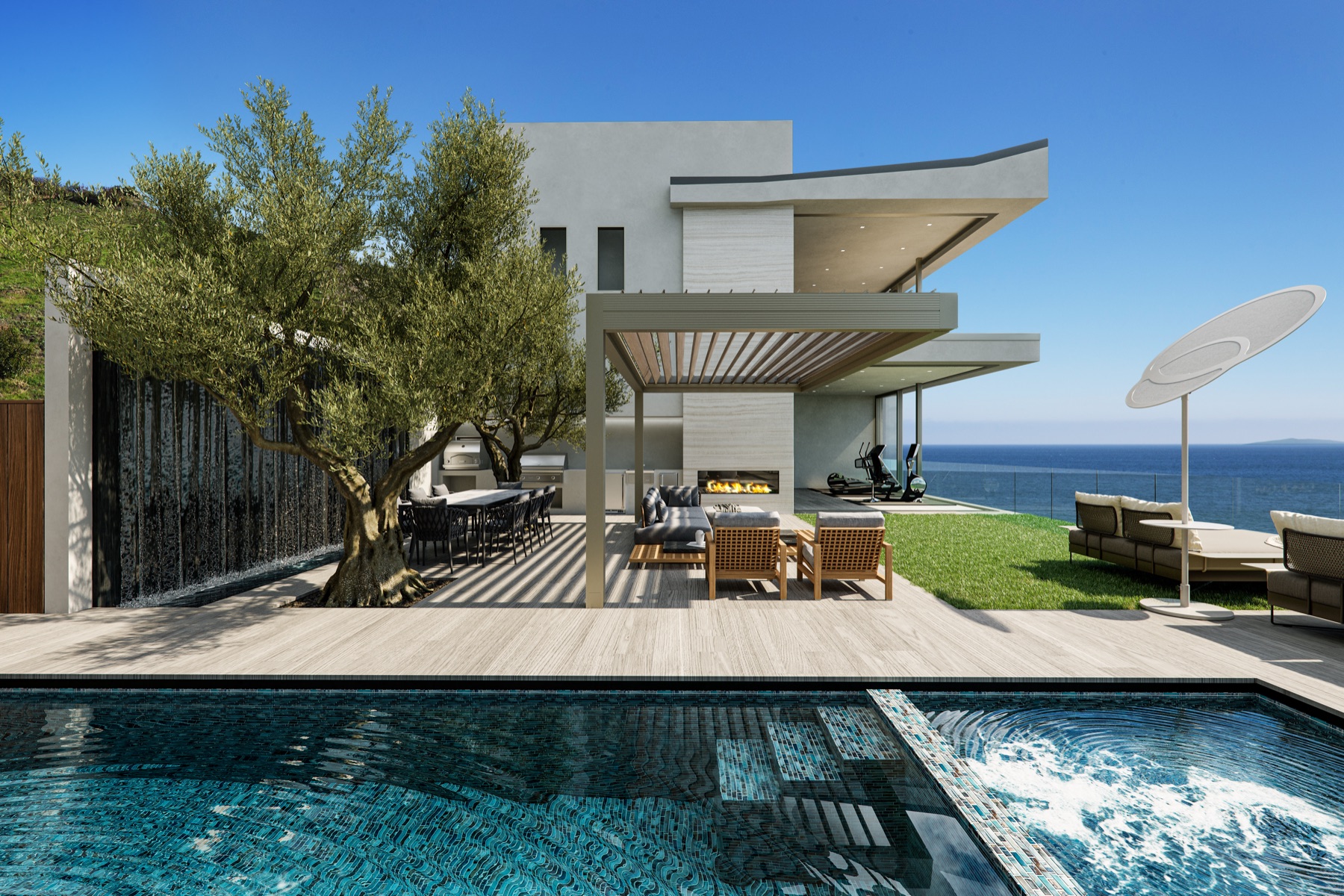
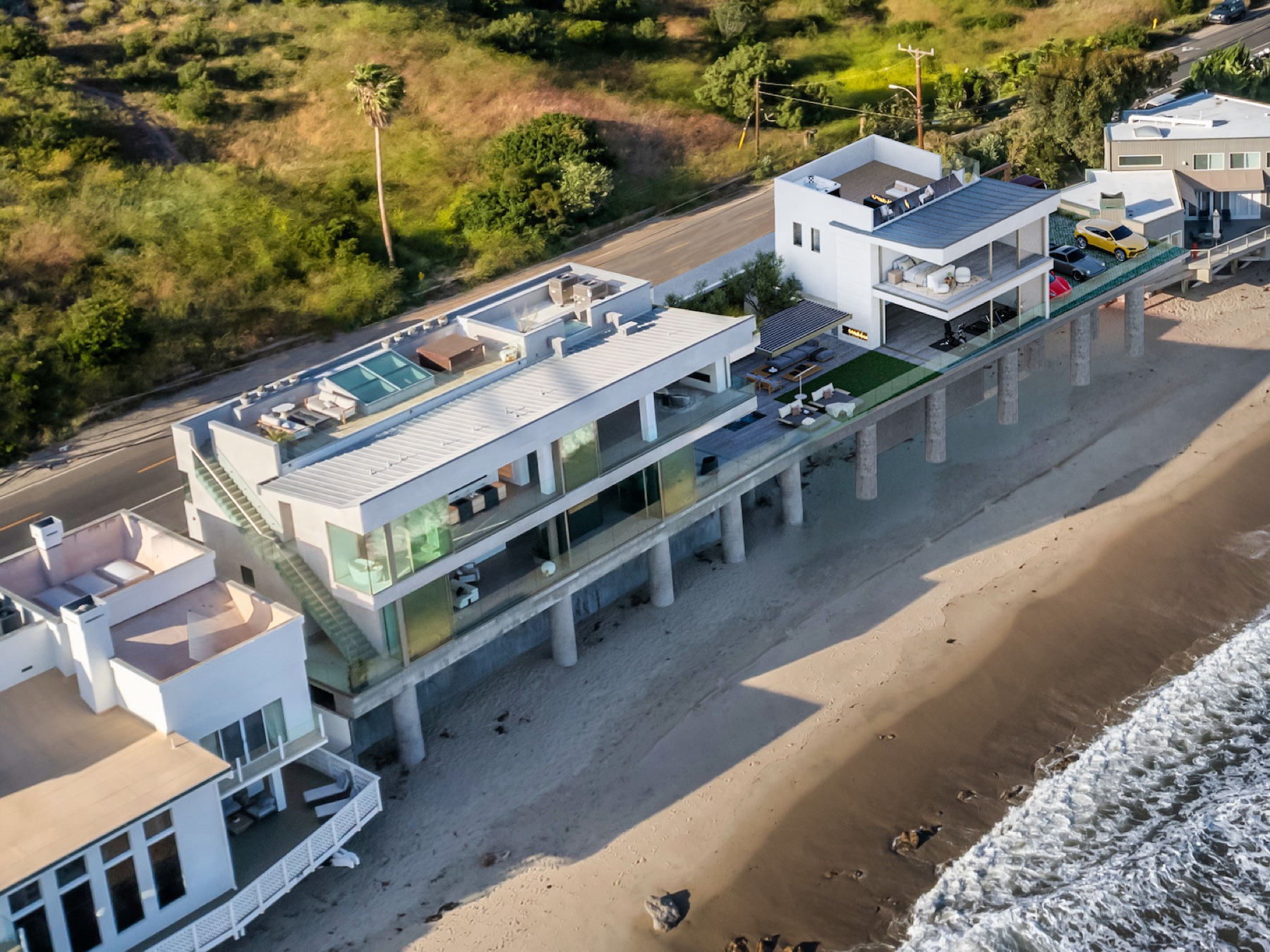
                  <p>We were tasked with creating a standout, one of a kind beach house on Malibu Road. We responded with a sculptural aesthetic that reflected the spatial volumes of the interiors, which in turn were dictated by use and marketing analytics.</p>
                </div>
                <div className="mp-stats">
                  <div><span className="mp-stat-l">Style</span><span className="mp-stat-v">Sculptural modern coastal</span></div>
                  <div><span className="mp-stat-l">Square feet</span><span className="mp-stat-v">7,600</span></div>
                </div>
              </div>
            </div>
            <div className="featured-gallery">
              <div className="fg-item"><img src="tobias-architecture/assets/kloeris/annex-aerial-1.jpg" alt="" /></div>
              <div className="fg-item"><img src="tobias-architecture/assets/kloeris/annex-aerial-2.jpg" alt="" /></div>
              <div className="fg-item"><img src="tobias-architecture/assets/kloeris/living-room-1.jpg" alt="" /></div>
            </div>
          </div>
        </div>
      </div>
    </section>);

}

// ── PRICING
function Pricing({ tweaks, accent }) {
  const sectionRef = useReveal();
  const includes = [
  "Custom-built portfolio page",
  "Hosted on LuxuryPortfolio.io",
  "Lifetime hosting & updates",
  "Unlimited link shares"];

  const addons = [
  { t: "Personalized QR code", p: "+$29" },
  { t: "Add more projects", p: "+$49" },
  { t: "Custom domain", p: "Starting at +$29" },
  { t: "AI-enhanced images", p: "Starting at +$49" }];

  return (
    <section ref={sectionRef} className="pricing" id="pricing" style={{ background: accent.soft }}>
      {tweaks.showScriptLabels && <ScriptLabel text="Pricing" top={140} />}
      <div className="section-head center">
        <div className="kicker">— 06 / Pricing</div>
        <h2 className="section-title">Simple <em>pricing.</em></h2>
        <p className="section-sub">Built once. Month-to-month after.</p>
      </div>
      <div className="pricing-grid">
        <div className="price-addons">
          <div className="addons-title">Optional add-ons</div>
          {addons.map((a, i) =>
          <div key={i} className="addon">
              <div className="addon-t">{a.t}</div>
              <div className="addon-p">{a.p}</div>
            </div>
          )}
          <div className="addons-foot">
            Mix and match anytime. Add-ons are billed one time, not monthly.
          </div>
        </div>
        <div className="price-card primary">
          <div className="price-tag">
            <span className="dollar">$</span>
            <span className="amount">495</span>
            <span className="period">WebPage Build</span>
            <span className="price-add">
              <span className="add-plus">+ $</span>
              <span className="add-amount">59</span>
              <span className="add-period">/ month</span>
            </span>
          </div>
          <div className="price-flags">
            <span>Updates + Hosting included</span>
            <span className="dot">•</span>
            <span>No contracts</span>
            <span className="dot">•</span>
            <span>Cancel anytime</span>
          </div>
          <div className="price-divider" />
          <ul className="price-list">
            {includes.map((f, i) =>
            <li key={i}><span className="check">✓</span>{f}</li>
            )}
          </ul>
          <Button style={{ marginTop: 32 }}>{tweaks.ctaCopy}</Button>
          <div className="price-note">No credit card required to start.</div>
        </div>
      </div>
    </section>);

}

// Paste your Make.com webhook URL here (Custom Webhook → "Copy address to clipboard").
const MAKE_WEBHOOK_URL = "https://hook.us1.make.com/tcf5j2x1gn58u5iy8tvl6a1nrh1x81y8";

// ── CONTACT FORM (glass surface over a backdrop image)
function Contact() {
  const [submitted, setSubmitted] = useState(false);
  const [error, setError] = useState("");
  const sectionRef = useReveal();
  const onSubmit = async (e) => {
    e.preventDefault();
    setError("");
    const data = Object.fromEntries(new FormData(e.currentTarget).entries());
    if (!MAKE_WEBHOOK_URL) {
      setSubmitted(true);
      return;
    }
    try {
      const res = await fetch(MAKE_WEBHOOK_URL, {
        method: "POST",
        headers: { "Content-Type": "application/json" },
        body: JSON.stringify({ ...data, source: "luxuryportfolio.io", submittedAt: new Date().toISOString() }),
      });
      if (!res.ok) throw new Error(`Webhook responded ${res.status}`);
      setSubmitted(true);
    } catch (err) {
      setError("Something went wrong. Please email ryan@groundupwebsites.com and we'll respond right away.");
    }
  };

  return (
    <section ref={sectionRef} className="contact" id="contact">
      <div className="contact-bg" style={{ backgroundImage: "url(assets/contact-kitchen.jpg)" }} />
      <div className="contact-bg-overlay" />
      <div className="contact-content">
        <div className="contact-head">
          <div className="kicker light">— Get in touch</div>
          <h2 className="section-title light">Stand out with a <em>luxury portfolio web page.</em></h2>
          <p className="contact-sub">We'll have your portfolio page live in 48 hours. No commitment.</p>
        </div>
        {submitted ?
          <div className="contact-form glass contact-thanks">
            <h3>Thanks. We'll be in touch shortly.</h3>
            <p>We typically respond within 24 hours.</p>
          </div> :
          <form className="contact-form glass" onSubmit={onSubmit}>
            <div className="field-grid">
              <label className="field">
                <span className="field-l">Name</span>
                <input type="text" name="name" placeholder="Your name" required />
              </label>
              <label className="field">
                <span className="field-l">Email</span>
                <input type="email" name="email" placeholder="you@company.com" required />
              </label>
              <label className="field">
                <span className="field-l">Phone</span>
                <input type="tel" name="phone" placeholder="(555) 555-0199" />
              </label>
              <label className="field">
                <span className="field-l">Company</span>
                <input type="text" name="company" placeholder="Your remodeling business" />
              </label>
              <label className="field span-2">
                <span className="field-l">Main Service</span>
                <input type="text" name="service" placeholder="Kitchen remodels, whole-home, additions..." />
              </label>
            </div>
            <button type="submit" className="btn contact-submit">
              <span>Get My Portfolio WebPage</span>
              <svg width="14" height="10" viewBox="0 0 14 10" fill="none" style={{ marginLeft: 12 }}>
                <path d="M1 5H13M13 5L9 1M13 5L9 9" stroke="currentColor" strokeWidth="1.4" strokeLinecap="square" />
              </svg>
            </button>
            {error && <p className="contact-error">{error}</p>}
          </form>
        }
      </div>
    </section>);

}

// ── FOOTER
function Footer() {
  return (
    <footer className="footer">
      <div className="footer-bot">
        <span>© 2026 LuxuryPortfolio.io</span>
        <div className="footer-legal">
          <span>Crafted for builders who care.</span>
          <a href="/terms">Terms</a>
          <a href="/privacy">Privacy</a>
        </div>
      </div>
    </footer>);

}

// ── TWEAKS
function Tweaks({ tweaks, setTweak }) {
  if (!window.TweaksPanel) return null;
  const { TweaksPanel, TweakSection, TweakRadio, TweakSlider, TweakToggle, TweakText } = window;
  return (
    <TweaksPanel title="Tweaks">
      <TweakSection title="Brand accent">
        <TweakRadio
          value={tweaks.accent}
          options={[
          { value: "peach", label: "Peach" },
          { value: "sage", label: "Sage" },
          { value: "taupe", label: "Taupe" },
          { value: "bone", label: "Bone" }]
          }
          onChange={(v) => setTweak("accent", v)} />
        
      </TweakSection>
      <TweakSection title="Hero overlay">
        <TweakSlider value={tweaks.heroOverlay} min={0} max={0.7} step={0.05}
        onChange={(v) => setTweak("heroOverlay", v)} />
      </TweakSection>
      <TweakSection title="Vertical script labels">
        <TweakToggle value={tweaks.showScriptLabels}
        onChange={(v) => setTweak("showScriptLabels", v)} />
      </TweakSection>
      <TweakSection title="Uppercase titles">
        <TweakToggle value={tweaks.uppercaseTitles}
        onChange={(v) => setTweak("uppercaseTitles", v)} />
      </TweakSection>
      <TweakSection title="CTA copy">
        <TweakText value={tweaks.ctaCopy}
        onChange={(v) => setTweak("ctaCopy", v)} />
      </TweakSection>
    </TweaksPanel>);

}

// ── APP
function App() {
  const [tweaks, _setTweak] = (window.useTweaks || (() => [TWEAK_DEFAULTS, () => {}]))(TWEAK_DEFAULTS);
  const setTweak = (k, v) => _setTweak(k, v);
  const accent = ACCENTS[tweaks.accent] || ACCENTS.peach;

  // Toggle uppercase via root data attr
  useEffect(() => {
    document.documentElement.dataset.uppercase = tweaks.uppercaseTitles ? "1" : "0";
  }, [tweaks.uppercaseTitles]);

  // Cross-page hash links (e.g. /#contact from a demo page) — the browser
  // tries to scroll to the anchor on initial load, but the section doesn't
  // exist yet because Babel-standalone hasn't compiled + React hasn't
  // mounted. Wait a tick after mount, then scroll to the hash element.
  useEffect(() => {
    const hash = window.location.hash;
    if (!hash) return;
    const id = hash.slice(1);
    const t = setTimeout(() => {
      const el = document.getElementById(id);
      if (el) el.scrollIntoView({ behavior: "smooth", block: "start" });
    }, 250);
    return () => clearTimeout(t);
  }, []);

  return (
    <div className="page is-animated">
      <Nav ctaCopy={tweaks.ctaCopy} />
      <Hero tweaks={tweaks} accent={accent} />
      <Proof tweaks={tweaks} />
      <UpscaleSection />
      <WhatYouGet tweaks={tweaks} accent={accent} />
      <Benefits tweaks={tweaks} />
      <Featured tweaks={tweaks} accent={accent} />
      <Pricing tweaks={tweaks} accent={accent} />
      <Contact />
      <Footer />
      <Tweaks tweaks={tweaks} setTweak={setTweak} />
    </div>);

}

ReactDOM.createRoot(document.getElementById("root")).render(<App />);